




A library barcode encodes the unique number assigned to a library item. When scanned, the barcode sends this number to the Integrated Library System (ILS), which retrieves the matching item record.
The barcode number must match the value stored in the ILS. A readable barcode with incorrect data can link to the wrong item or prevent staff from finding the record.
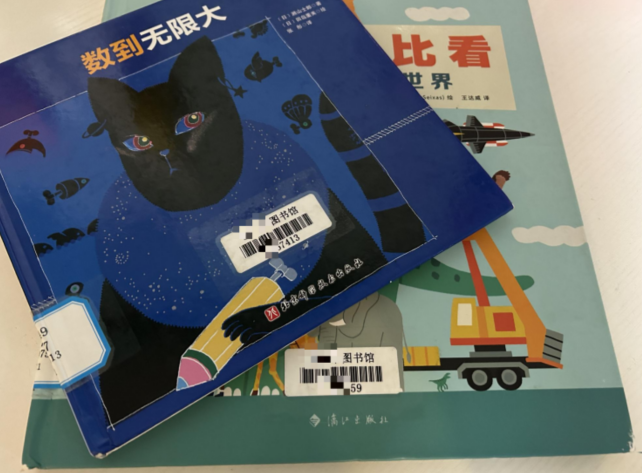
This guide explains how library book barcodes work, how barcode numbers are structured, how to choose the right book barcode symbology, and how to create reliable labels for library collections.
What Is a Library Barcode?
A library book barcode identifies one physical item in a library collection. It can be assigned to books, journals, DVDs, tablets, equipment, and other circulating assets.
The barcode number is usually created according to rules defined by the library, ILS, school district, consortium, or library network. These rules determine the number length, prefix, check digit, and barcode format.
During checkout, staff scan the patron barcode and item barcode. The ILS then records the borrower, item status, and due date.
A library barcode works as a unique identifier. It does not store the title, author, location, or circulation details. Those details remain in the ILS record.

What Information Is Encoded in a Library Barcode?
There is no universal library barcode number structure. Depending on the system, the number may include:
| Number section | Possible purpose |
|---|---|
| 3 | Item identifier |
| 1042 | Library or school code |
| 008765 | Sequential item number |
| 7 | Check digit |
This is only an example. Some libraries use different prefixes, shorter numbers, or no check digit.
Before creating or ordering library barcode labels, confirm:
- • Number length
- • Required prefix
- • Leading-zero rules
- • Check-digit requirements
- • Separate ranges for item and patron barcodes
Each physical copy requires its own item barcode because the ILS tracks each copy separately by location, availability, condition, and circulation history.
Library Barcode vs. ISBN: What Is the Difference?
An ISBN identifies a publication or edition, while a library barcode identifies a specific copy owned by a library.
| Feature | Library barcode | ISBN |
|---|---|---|
| Identifies | One physical library copy or patron record | One publication or edition |
| Assigned by | Library, ILS, district, or consortium | Authorized ISBN agency |
| Unique for every copy | Yes | No |
| Used for | Circulation and inventory tracking | Bibliographic identification |
For example, a school library may purchase four copies of the same paperback edition. All copies share the same ISBN, but each copy receives a different library barcode.
The ISBN helps staff create or import the bibliographic record. The library barcode allows the ILS to track each physical copy independently.
Which Barcode Symbology Should a Library Use?
Barcode symbology is the rule used to convert a number into bars and spaces. The correct symbology is the one supported by the library’s:
- • ILS
- • Existing barcode labels
- • Checkout scanners
- • Self-service equipment
- • Consortium or school district
For libraries, the most important factor is whether the complete system can read the book barcode correctly.
Code 39
Code 39 supports numbers, uppercase letters, and selected symbols. It remains common in many established library systems because of its broad compatibility.
Its main limitation is size. Longer barcode numbers require wider labels, which may be difficult for smaller book spines or compact labels.
Code 128
Code 128 provides higher data density and can fit longer numbers into a smaller space. It can be useful when libraries need narrower labels or longer identifiers.
However, it should only be selected after confirming compatibility with the ILS, label software, and scanning equipment.
Codabar
Codabar is still used in some older library automation systems. Libraries usually keep this format to maintain compatibility with existing records, scanners, and workflows.
Interleaved 2 of 5
Interleaved 2 of 5 is a numeric barcode format found in some legacy library systems. It is typically used because an existing system requires it, rather than as the default choice for a new implementation.
The best library barcode format is not the newest or most advanced option. It is the format that matches the library’s existing software, equipment, and workflow.
How Are Library Barcodes Created and Printed?
Library barcodes should be created from the system requirements outward. Choosing a barcode printer or label size first can produce labels that look correct but do not work with the ILS.
A reliable library barcode workflow follows five steps, as shown below.
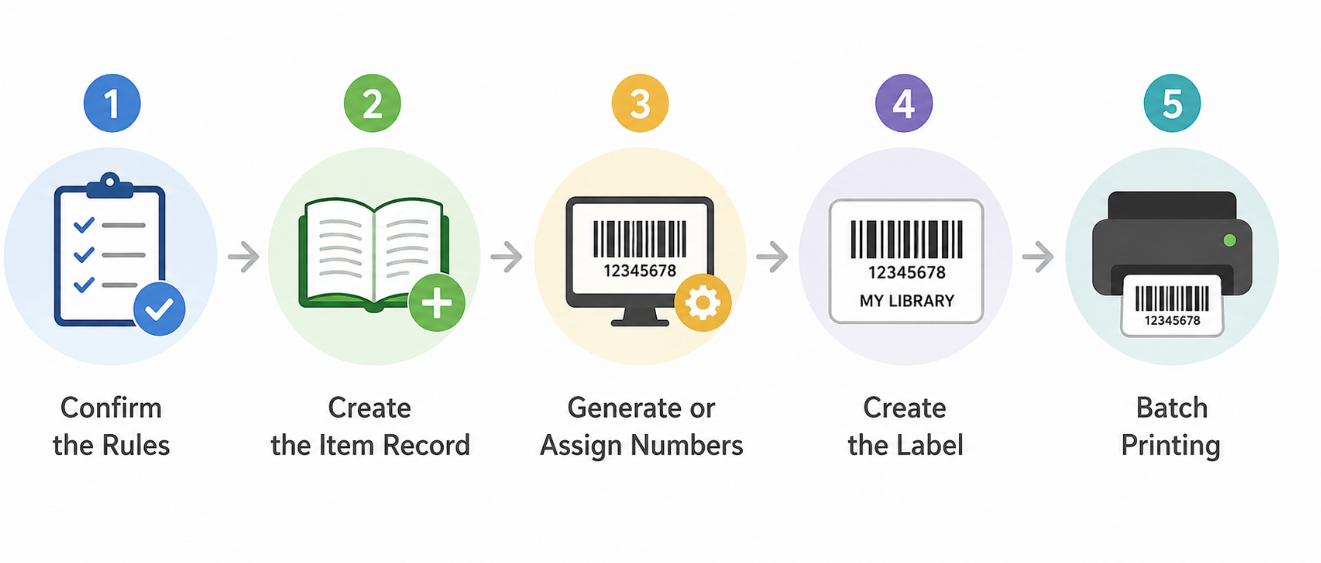
Confirm the Rules
Before creating library barcode labels, review the ILS documentation or confirm the requirements with the system administrator. Check the following:
- • Barcode symbology
- • Number length
- • Prefix and check-digit rules
- • Label dimensions
- • Required import format, such as CSV, TXT, or database exports
- • Supported printing method, such as direct thermal or thermal transfer
Libraries in a shared district or consortium should follow the central rules. A locally invented number range may conflict with records from another branch.
Create the Item Record
The item record represents one physical copy.
Suppose a catalog record already exists for Charlotte’s Web. The library receives three additional copies. Staff should create three item records under the same bibliographic record and assign one unique barcode number to each item.
The title is shared. The item numbers are not.
Generate or Assign the Numbers
Library barcode numbers can come from:
- • An ILS-generated sequence
- • A reserved number range
- • A controlled spreadsheet or database
- • A supplier of preprinted barcodes
Check for duplicates before printing.
A repeated barcode can connect two physical books to one item record. The error may remain hidden until one copy is checked out, marked lost or found during inventory.
Create the Label
A useful library barcode label normally contains:
- • The barcode symbol
- • The number in readable text
- • The library or branch name, when required
- • Enough blank space around the barcode
The printed number is important. If a label is damaged or a scanner fails, staff can type the number into the ILS.
Avoid filling the label with logos and extra wording. Reducing the barcode to make space for decoration can lower scan reliability.
Batch Printing
Barcode data is typically imported from the ILS or prepared in Excel, CSV, or database formats. Label software converts this data into correctly formatted barcode labels for printing.
For both on-demand printing and batch labeling workflows, libraries typically use thermal label printers for consistent print quality, efficient output, and reliable barcode label handling.
Combined with suitable synthetic labels, thermal printing can create durable labels that better withstand moisture and daily handling.
Before full production, print and scan a sample label to confirm that it:
- • Opens the correct item record
- • Scans correctly on the intended equipment
- • Matches the printed number
Testing before batch printing helps prevent large quantities of incorrectly formatted labels from entering the collection.
What Are the Recommended Library Barcode Label Sizes and Placement Locations?
Book barcode label sizes are not standardized across all libraries. Common barcode labels typically range from 0.5 × 1.5 inches to 1 × 2 inches, depending on the library’s barcode policy, item type, barcode length, and available space on the item.
For books and other library materials, barcode labels are usually placed on the back cover, inside cover, or spine area according to the library’s processing standards.
Typical choices include:
| Item type | Common barcode label size | Placement considerations |
|---|---|---|
| Hardcover books | Around 1 × 2 inches or similar medium-size labels | Usually placed on the back cover or inside back cover. Books with dust jackets may require a protective overlay or an alternative placement location. |
| Paperback books | Around 0.75 × 1.5 inches or smaller labels | Usually placed on the back cover or inside cover to avoid curved or frequently handled areas. |
| DVDs and media cases | Around 0.5 × 1.5 inches compact labels | Applied to a flat area of the case without affecting opening, handling, or appearance. |
| Journals and magazines | Small labels, often around 0.5 × 1.5 inches | Placed on the back cover or another protected area for regular scanning. |
What Is the Recommended Barcode Label Printer and Scanner for Library Books?
A reliable library barcode system requires two things: clear barcode printing and accurate scanning.
The printer should create readable labels that match the library’s barcode requirements. The scanner should quickly capture codes during checkout, inventory, and self-service workflows.
When choosing library barcode equipment, consider:
- • Compatibility with the library’s ILS and label software
- • Support for common barcode formats, such as Code 39 and Code 128
- • Print resolution for small or dense barcodes (300 dpi is recommended)
- • Scanning performance on damaged, curved, or low-contrast labels
- • Connectivity options for fixed and mobile workflows
Recommended Solution for Small Libraries: iDPRT iF2 + HN-3378SR
Small public libraries, school libraries, and branch locations often need a cost-efficient setup for daily circulation and in-house label printing.
The iDPRT iF2 label and receipt printer paired with the HN-3378SR wireless handheld scanner supports essential workflows, including barcode label printing, book checkout, returns, and inventory management.
iDPRT iF2 Multifunction Label and Receipt Printer
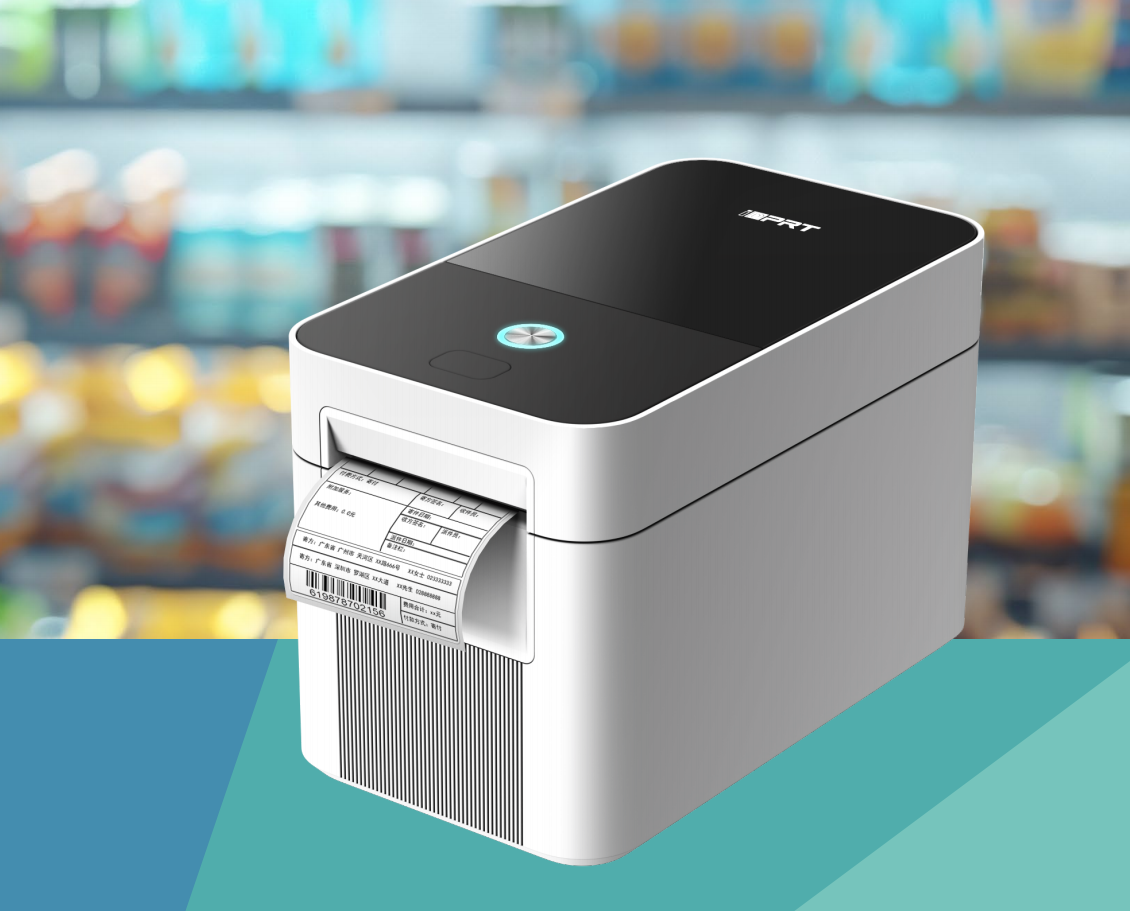
The iDPRT iF2 is a compact 2-inch 2-in-1 thermal label and receipt printer suitable for library front desks and limited workspaces.
With high-resolution printing and support for multiple media types, it helps libraries print barcode labels for new books, replacement labels, and inventory tasks, while also handling daily receipt printing.
Key features include:
- • 203 dpi and 300 dpi printing for clear, reliable barcode output
- • Support for common barcode formats, including Code 39 and Code 128
- • Compatibility with multiple media types, including continuous labels, gap labels, black-mark labels, and receipt paper
- • Compact design for circulation desks and limited workspace environments
- • Multiple connectivity options, including USB, Ethernet, and optional Wi-Fi/Bluetooth configurations
iDPRT HN-3378SR Handheld Barcode Scanner
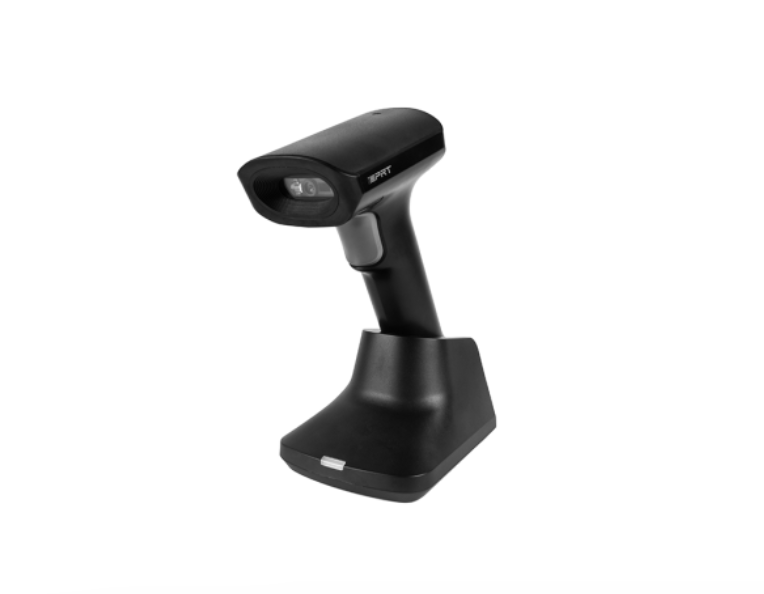
The iDPRT HN-3378SR is a wireless handheld scanner suitable for flexible library operations. It supports daily circulation tasks while enabling efficient shelf inventory and collection management.
Key features include:
- • Support for 1D and 2D barcode recognition, including Code 39, Code 128, and ISBN/ISSN codes
- • Wireless Bluetooth connectivity for flexible movement throughout the library
- • Reliable scanning performance on low-contrast, damaged, or hard-to-read barcodes
- • Long scanning range for shelf inventory and collection management
- • Durable design for daily library operations
- • Optional charging cradle that enables hands-free scanning when the scanner is placed in the base
This combination is suitable for:
- • Front desk checkout and returns
- • New book processing
- • Barcode replacement
- • Shelf inventory
- • Small-batch label printing
Frequently Asked Questions About Library Barcodes
Can an ISBN Be Used as a Library Barcode?
No. An ISBN identifies a publication or edition, while a library barcode identifies a specific physical copy. Multiple copies of the same book may share an ISBN, but each copy needs a unique barcode for circulation and inventory tracking.
Which Is Better for Library Barcodes: Code 39 or Code 128?
Neither is always better. Code 39 is common in many existing library systems, while Code 128 supports longer numbers in smaller spaces. The right choice depends on compatibility with the library’s ILS, scanners, and barcode software.
What Size Barcode Label Should a Library Use?
Library barcode label sizes depend on the item type, barcode length, and available space. Common sizes range from 0.5 × 1.5 inches to 1 × 2 inches. The best label size keeps the barcode readable, durable, and easy to scan.
How Do You Replace a Damaged Library Barcode?
Replace a damaged barcode by updating the existing item record, not creating a new one. Reprint the same barcode number when possible, apply the new label, and scan it to confirm the item record remains correctly linked.
Mastering Library Barcodes: The Label Is Just the Beginning
A reliable library barcode system requires more than a readable label. The barcode must contain the correct number, match the correct item record, follow the ILS requirements, and scan correctly on the library’s scanners and self-service equipment.
The most expensive mistake is rarely a damaged label. It is a clear, readable barcode linked to the wrong item.
Define the numbering rules first. Test the workflow second. Print the full batch only after both are confirmed.
Need help choosing the right library barcode printing and scanning solution?
Contact Our Experts